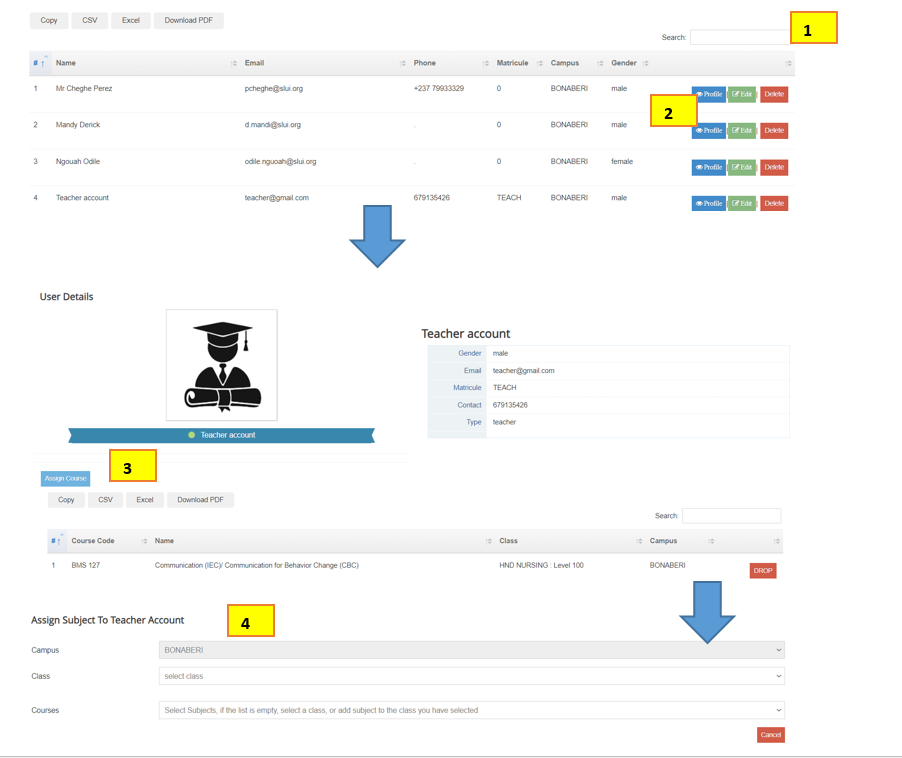
To assign a lecturer a course Click on User Accounts > Search the Lecturer’s name from the table and click on Profile > Click on Assign course directly below the profile picture > Chose the Class , Chose the Course and Save > That Lecturer can login to View the course in his/her profile