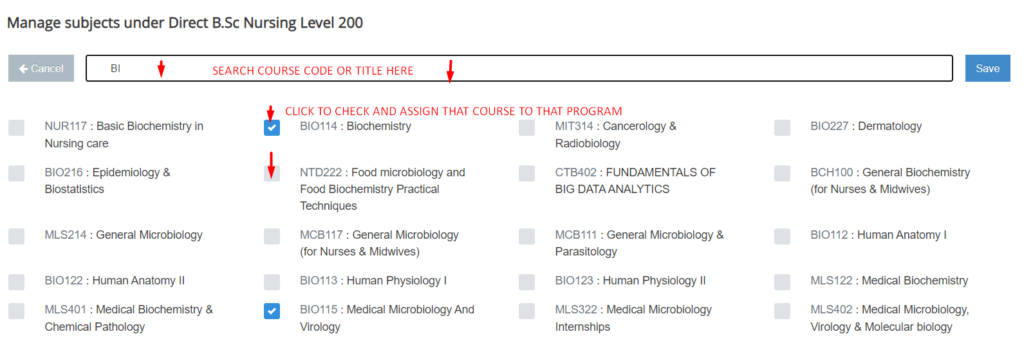
As the Head of Department , to allocate courses to a program in any academic year
- Click on HOD Center
- Click on Programs and you will be presented a list of all Departments you are controlling as HOD
- Click on Programs across the Department you wish to allocate the courses for
- A list of all Classes ( Program + Level ) will be show to you. Click courses across the program you want to allocate courses for
- At the Top right , Click Manage subject button
- Search the course(s) by either course code or course Title from the search box and when you have added all the courses , Press Save to Save the record
N.B : When you are searching a course , make sure the course you chose is having the same course codes and course title as the course you wanted to save. This is because two programs might be running the a course with the same course code but different course Titles . Also note that when search a course to allocate to a program , you won’t be able to see semester, status , credit Value because the course is already existing in the school courses Bank with all these various saved