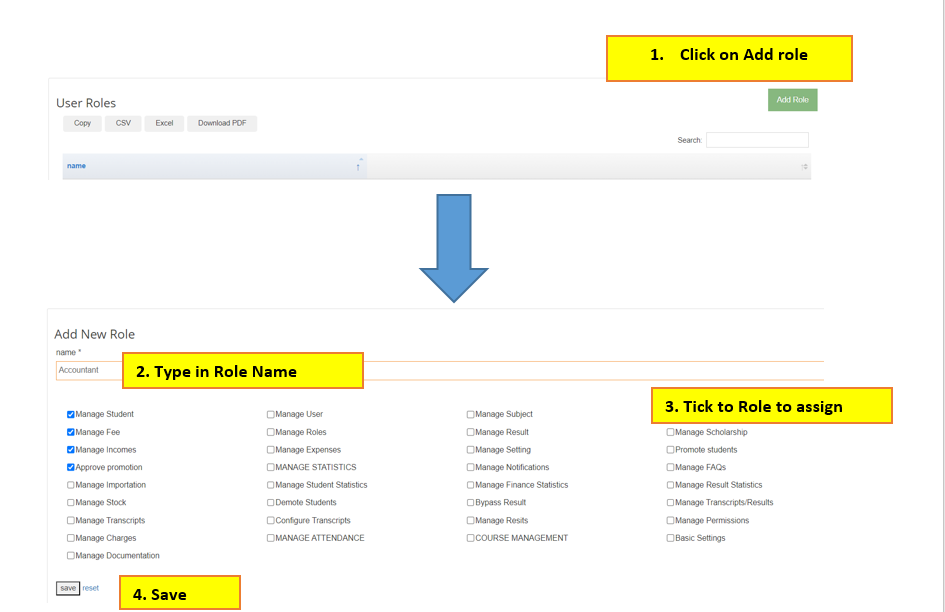
Click on User Account > Roles > Click on add Role at the Top right > Write the Role or Office Name > Tick all the permissions that role is allowed to view and Save
Click on User Account > Roles > Click on add Role at the Top right > Write the Role or Office Name > Tick all the permissions that role is allowed to view and Save